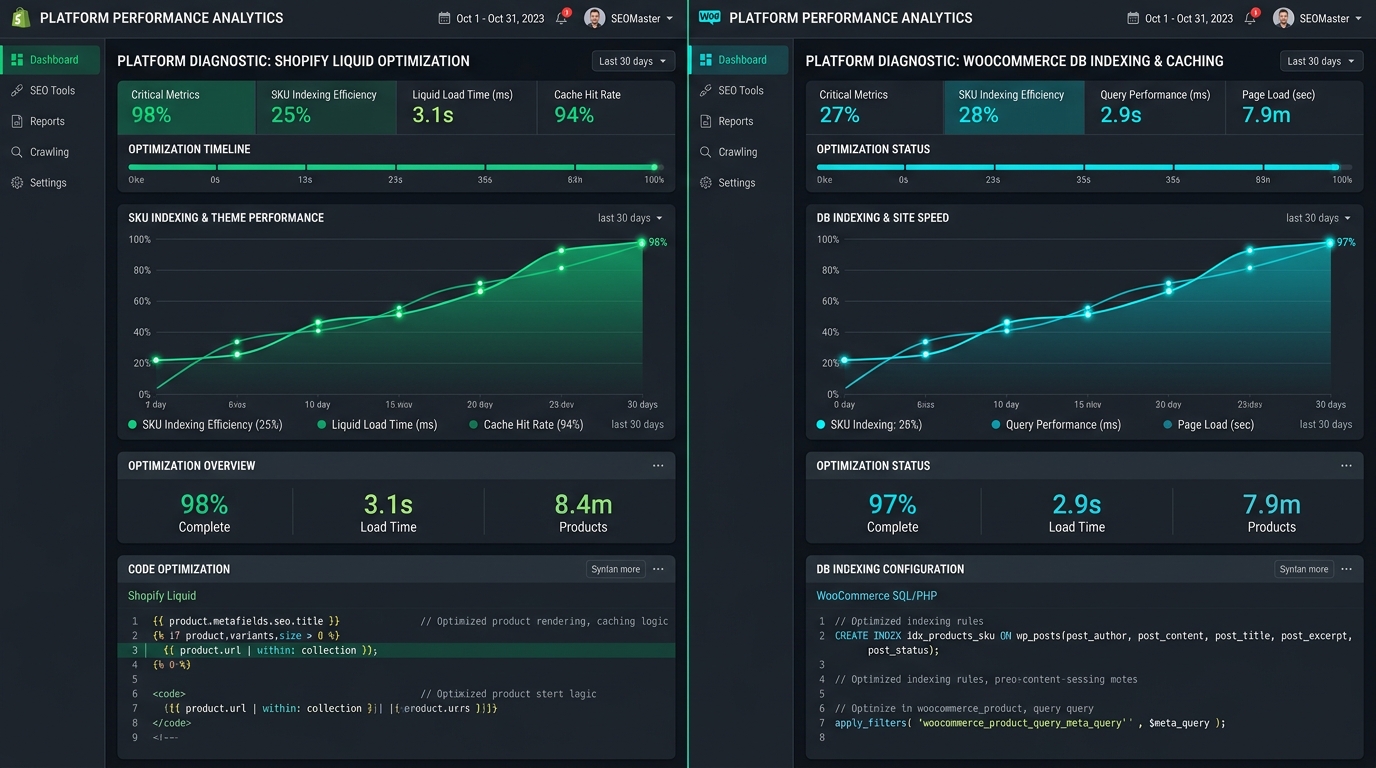
Fix Google indexing issues on Shopify & WooCommerce. Solve Liquid URL traps, XML sitemap timeouts, category pagination loops, and slow server TTFB.
/collections/hub/products/item) with direct canonical links (/products/item) in theme Liquid code and customizing robots.txt.liquid to block faceted query parameters. On WooCommerce, it requires deploying Redis object caching to maintain server TTFB below 300ms, splitting XML sitemaps into 1,000-URL batches via Yoast or RankMath to eliminate 504 gateway timeouts, and enforcing self-referential canonical tags on paginated category archives.
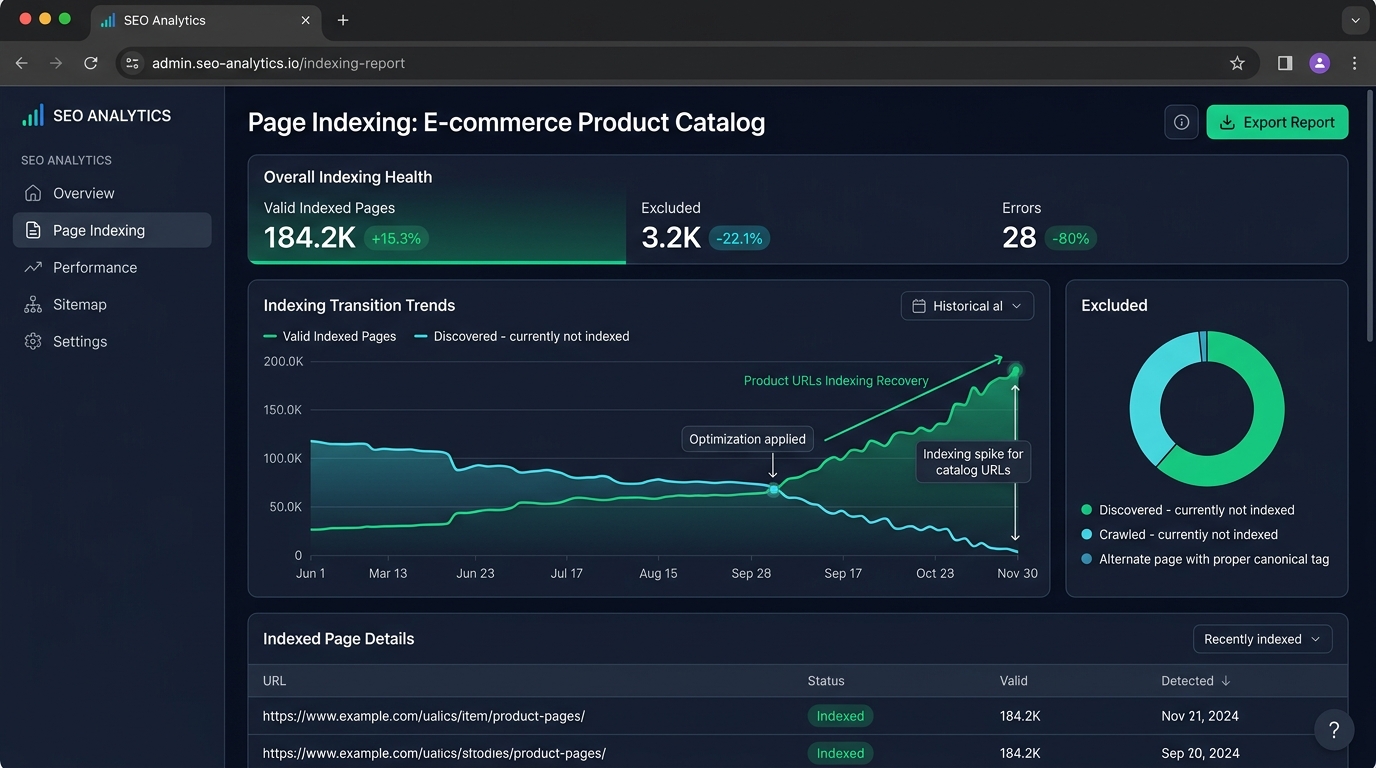
When an e-commerce catalog scales past 5,000 SKUs, standard platform defaults frequently cause massive indexing failures in Google Search Console. Stores typically see sudden spikes under both Discovered – currently not indexed and Crawled – currently not indexed.
While generic technical SEO advice focuses on content quality, the underlying culprit on Shopify and WooCommerce is usually platform-specific architecture traps. Shopify forces rigid Liquid URL routing and automated sitemaps, while WooCommerce suffers from heavy MySQL query execution and sitemap generation timeouts.
Below is our definitive technical blueprint containing 8 actionable fixes with verified Liquid templates and WordPress configuration rules to achieve comprehensive catalog indexation.
1. Why CMS Architecture Traps Googlebot at Scale
Both Shopify and WooCommerce handle URL generation, internal linking, and database queries differently. Understanding these fundamental platform behaviors is the key to resolving indexation bottlenecks:
| Architectural Dimension | Shopify Mechanics | WooCommerce Mechanics |
|---|---|---|
| Internal URL Routing | Default themes generate collection-dependent product URLs (/collections/*/products/*), multiplying crawl paths. | Generates clean root product URLs, but dynamic attribute filters create massive parameter duplicate bloat. |
| Sitemap Generation | Locked automatic generation at /sitemap.xml; splits at 5,000 URLs per sub-sitemap; cannot exclude single products via native UI. | Generated dynamically via plugins (Yoast, RankMath, SEOPress); prone to memory exhaustion and 504 timeouts on 10,000+ SKUs. |
| Server Response & TTFB | Hosted on global CDN infrastructure, but third-party app scripts injected into theme.liquid cause DOM rendering delays. | Self-hosted PHP/MySQL; un-indexed wp_postmeta tables cause database latency and Googlebot crawl throttling. |
2. Shopify Indexing Blueprint: 4 Liquid & Theme Fixes
Fix 1 — Eliminate Collection-Wrapped Product URLs in Theme Code
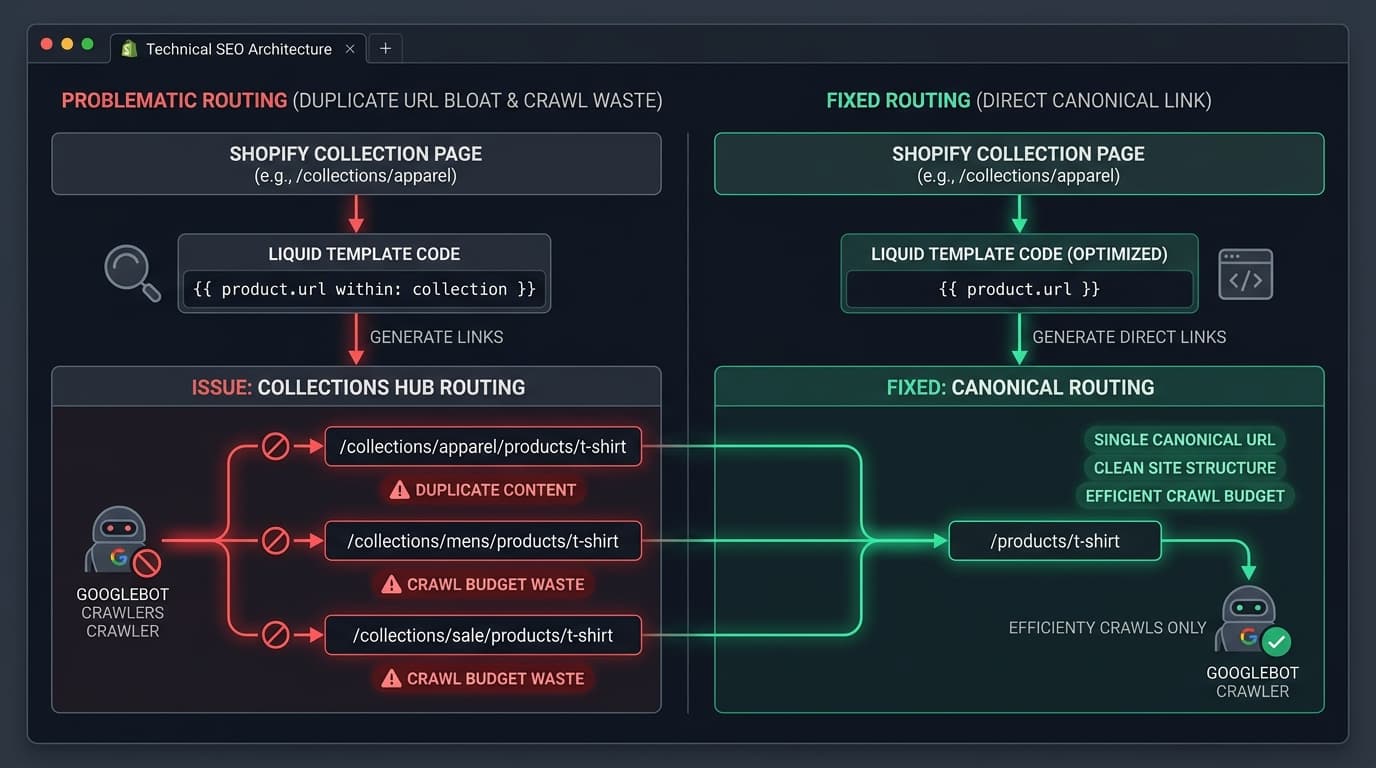
By default, Shopify themes generate internal links pointing to collection sub-paths rather than canonical product URLs. If a product belongs to three collections, Googlebot discovers three separate URLs for one single item:
/collections/mens-jackets/products/waterproof-parka/collections/winter-outerwear/products/waterproof-parka/collections/sale/products/waterproof-parka
Although Shopify places a canonical tag pointing to /products/waterproof-parka, Googlebot spends valuable crawl budget processing all three collection variants before indexing the canonical. To fix this, edit your theme's product card snippet (typically snippets/product-card.liquid or snippets/card-product.liquid):
<a href="{{ product.url | within: collection }}" class="product-card-link">
  {{ product.title }}
</a>


<a href="{{ product.url }}" class="product-card-link">
  {{ product.title }}
</a>
Fix 2 — Customize robots.txt.liquid to Block Faceted Filter Waste
Modern Shopify Online Store 2.0 themes use Search & Discovery apps that generate dynamic query strings (e.g., ?filter.v.price.gte=50). Create a custom robots.txt.liquid in your theme templates directory and add the following directives:
# Block Shopify Faceted Filter Parameters
User-agent: *
Disallow: /*?*filter.v.*
Disallow: /*?*sort_by=*
Disallow: /*?*contact_posted=*
Disallow: /collections/*+*
Disallow: /collections/*%2B*

# Allow Canonical Product & Collection Hubs
Allow: /products/
Allow: /collections/*$
Fix 3 — Audit Shopify Sub-Sitemaps for Deindexed Products
Shopify automatically creates sub-sitemaps (sitemap_products_1.xml, sitemap_products_2.xml). When products are set to "Draft" or archived, ensure third-party feed apps do not leave orphan URLs in custom sitemap endpoints. Verify that 100% of URLs inside /sitemap_products_1.xml return an immediate HTTP 200 status.
Fix 4 — Purge Ghost Tracking Scripts from theme.liquid
When Shopify apps are uninstalled, their script tags often remain trapped in theme.liquid, generating dozens of failed HTTP requests on every Googlebot hit. Conduct a code audit of layout/theme.liquid and remove legacy tracking pixels and uninstalled app containers to keep server TTFB under 250ms.
3. WooCommerce Indexing Blueprint: 4 Database & Routing Fixes
Fix 5 — Enforce Self-Referential Canonical Tags on Category Pagination
WooCommerce category pagination (/product-category/shoes/page/2/) must never canonicalize back to Page 1. Doing so causes Googlebot to ignore products listed on deeper category pages. Ensure every paginated page carries a self-referential canonical tag:
// Ensure self-referential canonicals on WooCommerce paginated archives
add_filter('wpseo_canonical', 'searchprex_fix_woo_pagination_canonical');
function searchprex_fix_woo_pagination_canonical($canonical) {
    if (is_paged()) {
        $canonical = get_pagenum_link(get_query_var('paged'));
    }
    return $canonical;
}
Fix 6 — Deploy Redis Object Caching to Eliminate Crawl Latency
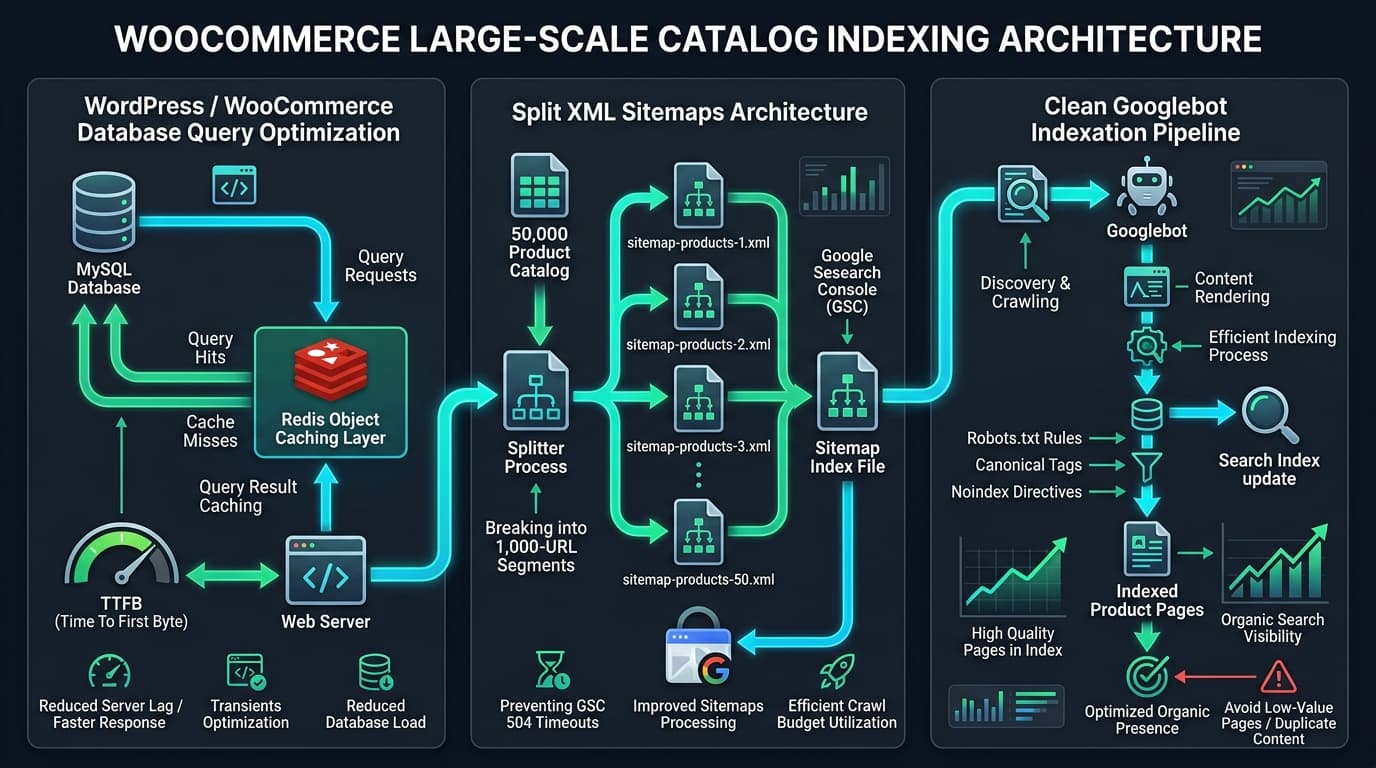
WooCommerce runs dozens of database queries to render attribute filters, stock levels, and price tiers. When Googlebot crawls hundreds of product URLs concurrently, standard MySQL setups experience severe bottlenecks. Deploy Redis Object Cache and ensure database transients are persistently stored in RAM to maintain Time to First Byte (TTFB) under 200ms.
Fix 7 — Split XML Sitemaps into 1,000-URL Chunks
The default 1,000 to 5,000 entries per sitemap in SEO plugins often causes PHP timeout errors (504 Gateway Timeout) when Google Search Console attempts to fetch large product catalogs. Lower the maximum entries per sitemap chunk to 1,000 URLs:
// Yoast SEO: Reduce entries per sitemap to prevent 504 timeouts
add_filter('wpseo_sitemap_entries_per_page', function() {
    return 1000;
});

// Rank Math: Reduce sitemap limit
add_filter('rank_math/sitemap/max_entries', function() {
    return 1000;
});
Fix 8 — Noindex Low-Value Product Tag and Attribute Archives
WooCommerce automatically generates archive pages for every product attribute (e.g., /pa_color/blue/, /product-tag/cotton/). On stores with large inventories, these thin archives create tens of thousands of near-duplicate pages that consume crawl budget. Set all product tag and custom attribute taxonomy archives to noindex, follow in your SEO plugin configuration.
While you’re thinking about this
Is your own site making this mistake?
Send me your URL and I’ll check it myself against what you just read — competitor gaps, content gaps, and whether Google’s AI names you or them. Free, written by me, reply within 24 hours.
4. Platform Comparison: Shopify vs. WooCommerce Diagnostics
Use this diagnostic matrix to troubleshoot e-commerce search console indexing errors:
| Indexing Symptom | Shopify Root Cause & Fix | WooCommerce Root Cause & Fix |
|---|---|---|
| Thousands of URLs stuck in 'Discovered' queue | App script overhead or sitemap bloat. Remove uninstalled app scripts from theme.liquid. | Database query latency (TTFB > 600ms). Implement Redis Object Cache and CDN caching. |
| GSC shows 'Duplicate without user-selected canonical' | Collection-wrapped URLs active in product grids. Strip | within: collection in snippets. | Attribute filter URLs crawled without parameters blocked in robots.txt. |
| Category pages 2+ deindexed | Pagination canonicalized to root collection. Ensure theme outputs self-referential canonicals. | Plugin misconfiguration canonicalizing /page/2/ to Page 1. Add canonical filter hook. |
| Sitemap returns 'Could not fetch' in GSC | Custom domain redirect mismatch. Submit primary root domain sitemap URL. | PHP execution timeout. Reduce sitemap batch limit to 1,000 URLs per sub-file. |
5. Frequently Asked Questions (AEO & GEO Summary)
Why does Shopify create multiple URLs for a single product SKU?
Shopify themes historically use the within: collection Liquid filter to maintain breadcrumb trail context when visitors browse through specific collections. However, this generates multiple URLs for the same product, creating crawl budget waste and canonical conflicts in Google Search Console.
Should I noindex WooCommerce product tags and attribute pages?
Yes. In 95% of e-commerce stores, product tags (e.g., /product-tag/red/) provide zero unique editorial value and cannibalize primary category keyword rankings. Setting them to noindex, follow preserves crawl budget for revenue-generating product and category pages.
How does server TTFB affect Shopify and WooCommerce indexing rates?
Googlebot dynamically calculates a host crawl rate based on server response speed. When Time to First Byte (TTFB) exceeds 600ms, Googlebot throttles concurrent crawl threads to avoid overloading the site, causing thousands of URLs to stall in the Discovered – currently not indexed queue.
7-Day Implementation Checklist
- Day 1: Audit your Shopify product card Liquid snippets or WooCommerce pagination canonicals.
- Day 2: Update your
robots.txtto block faceted query parameters and internal search paths. - Day 3: Test XML sitemap endpoints in a browser to ensure zero 504 timeouts or 301 redirects.
- Day 4: Deploy Redis Object Caching (WooCommerce) or purge uninstalled app scripts (Shopify).
- Day 5: Build direct HTML internal link modules ("New Arrivals") on high-authority category pages.
- Day 6: Review our companion guides on Discovered Not Indexed Fixes and Product Page SEO at Scale.
- Day 7: If your catalog requires an enterprise-grade indexation overhaul, explore our full Ecommerce SEO Services or schedule a comprehensive review on our Free SEO Audit page.
Mubashar Sharif
LinkedIn ProfileMubashar is an SEO analyst with 5+ years specializing in large-scale e-commerce SEO.