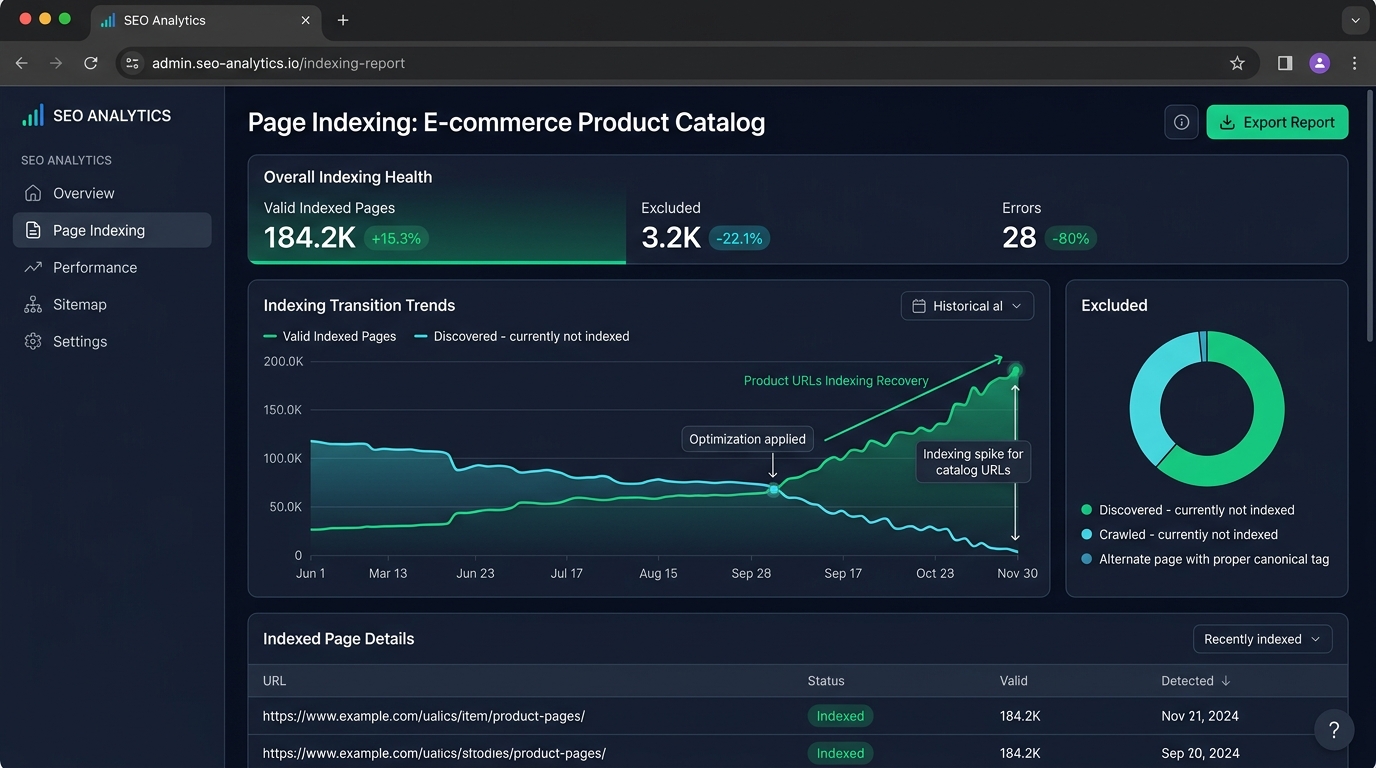
Fix 'Discovered – currently not indexed' on Shopify & WooCommerce. Learn the 4 crawl budget bottlenecks and our 5-step framework to get SKUs indexed fast.
When an online merchant uploads thousands of new product SKUs, submits an updated XML sitemap, and checks Google Search Console a week later, they frequently encounter a massive exclusion spike in the Page Indexing report under "Discovered — currently not indexed".
Unlike Crawled – currently not indexed (where Google inspected the page and rejected its content quality or found duplicate parameters), Discovered means Googlebot has not yet fetched the server payload. The URLs exist in Googlebot's discovery queue, waiting for crawl prioritization and server availability.
This technical guide provides the exact diagnosis and our battle-tested 5-step recovery framework to move thousands of stranded e-commerce product URLs from the Discovered queue into Google's active search index.
1. 'Discovered' vs. 'Crawled' Not Indexed: Diagnostic Breakdown
Understanding where an e-commerce page stalls in Google's indexing architecture is essential for applying the correct engineering fix:
| GSC Exclusion Status | Googlebot Status | Primary Root Cause | Resolution Path |
|---|---|---|---|
| Discovered — currently not indexed | Google knows the URL exists, but has not fetched or rendered the HTML. | Crawl budget exhaustion, server response latency (high TTFB), or orphan URLs. | Server speed optimization, internal linking hierarchy, and Crawl Budget Optimization. |
| Crawled — currently not indexed | Googlebot visited and rendered the page, but excluded it from search results. | Thin product descriptions, duplicate manufacturer copy, or canonical tag conflicts. | Unique product attributes, enhanced spec tables, and Product Page SEO at Scale. |
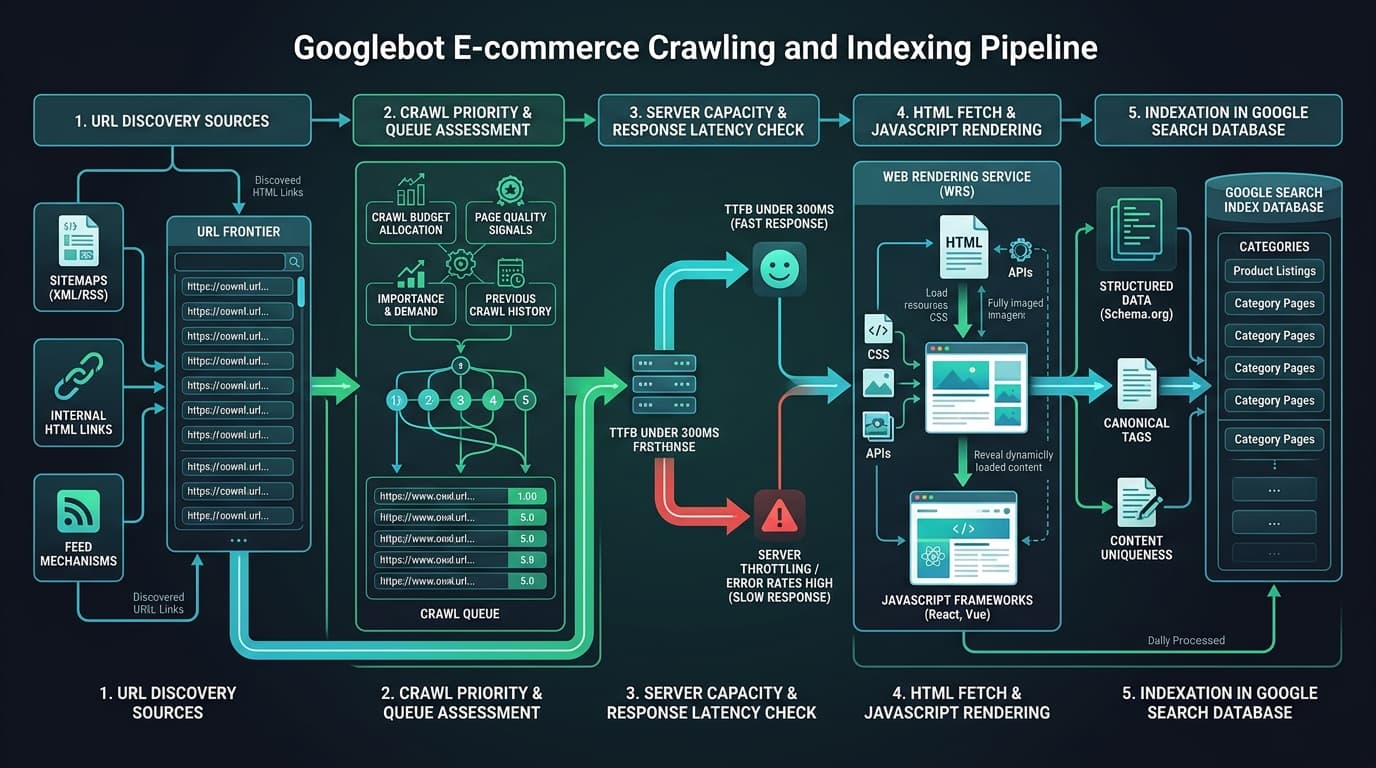
2. 4 Technical Bottlenecks Trapping E-commerce SKUs in the Discovery Queue
Through comprehensive technical SEO audits across multi-thousand SKU stores, we find that product URLs get stranded in the discovery backlog due to four specific technical failures:
1. Server Response Latency and TTFB Throttling
When Googlebot crawls an e-commerce platform, it calculates a Crawl Rate Limit based on server health. If your Time to First Byte (TTFB) exceeds 600ms or your host returns occasional 503/504 gateway timeout errors, Googlebot throttles its concurrent connections to avoid crashing your checkout funnel. As crawl speed drops, new product URLs get delayed indefinitely.
2. XML Sitemap Bloat and Non-200 URLs
If your XML sitemaps contain out-of-stock items, 301 redirects, 404 broken pages, or canonicalized filter parameters, Google's algorithms reduce their trust in your sitemap files. Rather than indexing submitted items immediately, Googlebot demotes the discovery priority of your entire sitemap feed.
3. Zero Internal Link Equity (Orphaned Product SKUs)
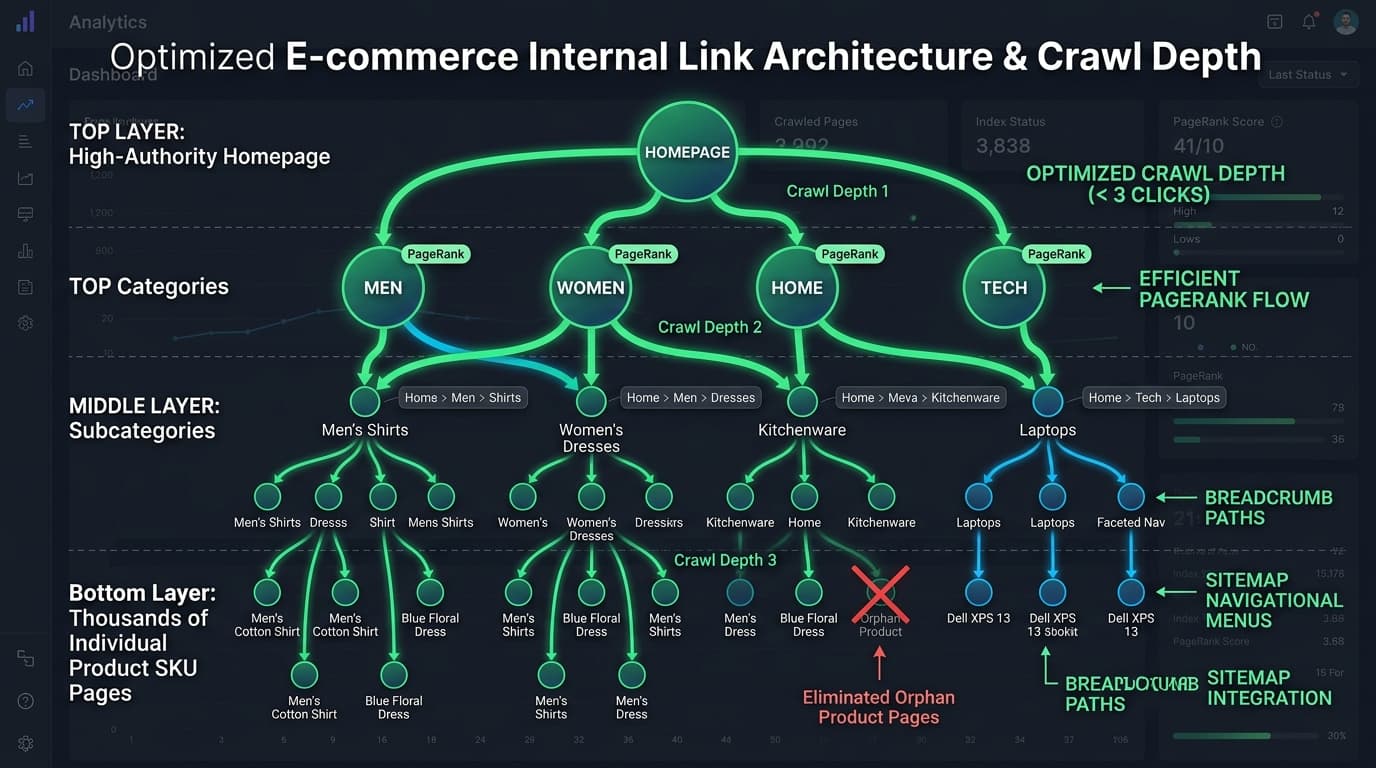
Googlebot prioritizes URLs discovered through clean HTML hyperlinks over URLs discovered purely through standalone sitemaps. If a new SKU is added to a database but lacks contextual internal links from category hubs, subcategories, or homepage widgets, it is treated as an orphan page with minimal PageRank, receiving lowest crawl priority.
4. Crawl Budget Waste on Dynamic Parameters and Utility Paths
Googlebot wasting crawl cycles on faceted filters (?sort=, ?price_min=), search results (/search?q=), customer account portals, and cart sessions starves your primary revenue-generating product catalog of necessary crawl capacity.
3. The 5-Step Framework to Force Googlebot Crawling & Indexation
To unblock stranded URLs and accelerate indexation across Shopify, WooCommerce, and custom headless setups, follow this verified 5-step engineering sequence:
Step 1 — Disallow Non-Revenue Utility Paths in robots.txt
Ensure your robots.txt file explicitly prevents search engine bots from crawling internal admin, search, and dynamic sorting URLs:
User-agent: *
# Disallow Utility, Account & Checkout Paths
Disallow: /cart
Disallow: /checkout
Disallow: /account/
Disallow: /search
Disallow: /*?*query=
Disallow: /*?*sort=
Disallow: /*?*dir=

# Allow Canonical Catalog & Collection Paths
Allow: /products/
Allow: /collections/
Allow: /categories/
Step 2 — Clean and Segment Dynamic XML Sitemaps
Audit your XML sitemaps to verify that 100% of included URLs meet strict indexability standards:
- Return a clean HTTP 200 OK status (zero 301 redirects, 404s, or 500 server errors).
- Feature a self-referential canonical tag matching the sitemap URL character-for-character.
- Contain no
noindexrobots meta tags orX-Robots-TagHTTP headers. - Break large sitemaps into smaller chunks (under 5,000 URLs per file) to allow Googlebot to process batches rapidly.
Step 3 — Build Internal Link Bridges for New Product SKUs
Never rely solely on an XML sitemap to introduce new inventory to search engines. Create immediate crawl pathways by linking new products from high-authority parent pages:
- Homepage "New Arrivals" Grid: Rotate newly uploaded SKUs directly on your homepage to pass root-domain PageRank instantly.
- Category Breadcrumb Hierarchy: Ensure structured
BreadcrumbListschema links parent categories to child products. - Contextual Editorial Links: Link top-margin product SKUs from relevant high-ranking buying guides and case studies.
Step 4 — Optimize Server Infrastructure and TTFB Below 300ms
Accelerate server response times across all catalog endpoints:
- On Shopify: Audit installed third-party apps, remove unused Javascript snippets from
theme.liquid, and utilize native Storefront APIs. - On WooCommerce / WordPress: Deploy Redis or Memcached object caching, clean expired transients in
wp_options, and enable Full-Page CDN Caching via Cloudflare or Fastly.
Step 5 — Track Crawl Recovery in Google Search Console
Navigate to Google Search Console > Settings > Crawl Stats. Monitor the "Average response time" graph. As host latency drops below 300ms, Google's "Total crawl requests" increases automatically. Stranded URLs move from Discovered to Crawled and Indexed within 7 to 14 days.
While you’re thinking about this
Is your own site making this mistake?
Send me your URL and I’ll check it myself against what you just read — competitor gaps, content gaps, and whether Google’s AI names you or them. Free, written by me, reply within 24 hours.
4. Platform-Specific Fixes: Shopify vs. WooCommerce
For Shopify Stores: Eliminate Collection-Wrapped URLs
Shopify themes frequently generate duplicate internal links pointing to /collections/apparel/products/item-name instead of canonical /products/item-name. Modify your collection template code to point internal links directly to the root canonical product path.
For WooCommerce Stores: Resolve Database Query Overhead
Large WooCommerce stores with complex product attributes often experience slow SQL execution during Googlebot crawls. Add database indices on wp_postmeta and ensure product query transients are cached to keep bot crawl responses under 200ms.
5. Frequently Asked Questions (AEO / GEO Focus)
Why does Google discover product pages but not crawl them?
Googlebot determines crawl priority using domain authority, server latency, and internal link depth. If a website has thousands of pages but slow server response times or weak internal link structure, Googlebot queues newly discovered URLs until crawl budget becomes available.
Does submitting an XML sitemap guarantee product indexation?
No. Google treats XML sitemaps as discovery suggestions rather than crawl directives. Sitemaps help Google find URLs, but Googlebot only crawls and indexes pages backed by sufficient internal link equity and fast server response times.
How long does it take for 'Discovered' URLs to become indexed?
After optimizing server TTFB under 300ms, cleaning dirty sitemaps, and establishing category internal links, URLs typically move from Discovered to Crawled and Indexed within 7 to 21 days.
Action Checklist for Store Owners
- Check GSC > Settings > Crawl Stats to verify server response time is below 300ms.
- Audit XML sitemaps and remove all redirected (301), broken (404), or canonicalized URLs.
- Implement a "Featured New Arrivals" HTML link module on top category pages to eliminate orphan SKUs.
- Disallow internal search queries and dynamic sorting parameters in
robots.txt. - For stores managing complex catalogue indexing challenges, explore our specialized Ecommerce SEO Services or request a technical review on our Free SEO Audit page.
Mubashar Sharif
LinkedIn ProfileMubashar is an SEO analyst with 5+ years specializing in large-scale e-commerce SEO.

